Fact sheet · Remote work
Beam
Share windows between your Macs with native feel and Retina sharpness
Beam puts a window from one Mac onto another, delivering native feel and Retina-sharp display with direct connection over your own network.
Overview
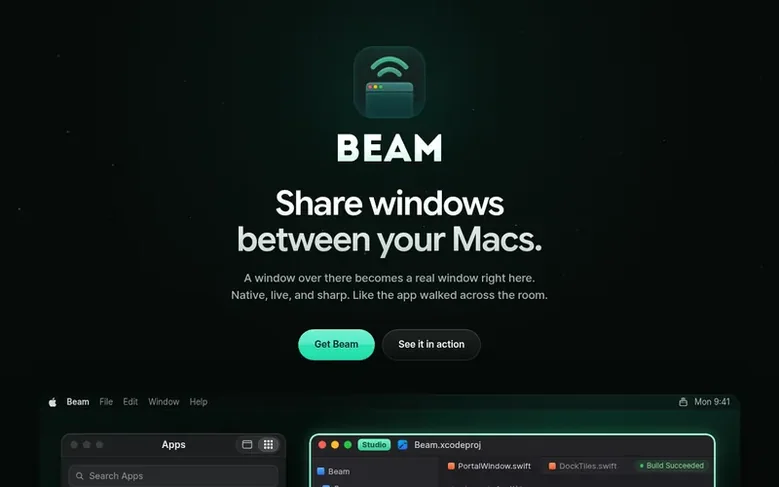
Beam allows you to display windows from one Mac on another Mac. A window from your other Mac appears as a real window on your screen, in your Command-Tab switcher with its own Dock icon, rather than as a video feed of the whole desktop. You can drag corners to resize the window, use it with full interactivity, and even drag files between Macs or toggle audio from the beamed app. Beam works over your local Wi-Fi network and can extend to remote Macs using Tailscale. You can also share windows with people who don't have Beam by sending them a browser link. All data stays encrypted and travels directly between your Macs, never through company servers.
Feature facts
- Native window integration with Dock icon and Command-Tab support
- Retina-sharp display at full resolution
- Direct encryption between Macs
- Works over local Wi-Fi or with Tailscale for remote access
- Drag files and paste content between Macs
- Audio streaming from beamed app
- Browser link sharing for non-Beam users
- Offline operation for up to 30 days
- Support for headless Macs without display
- Window resize and keyboard shortcuts support
Pricing
Pricing model: Freemium
Free: 20 minutes per day. Subscription (Monthly): $12/month or $84/year (billed annually). Lifetime: $199 one-time payment. Teams: $12 per person per month or $84 per year, with 20% discount per seat from 10 people.
Follow Beam: their milestones, new launches and awards come to you by email, once a day by default.
Beam specifications
| Section | Remote work |
|---|---|
| Website | beam.win |
| Votes2 | 0 |
Beam metrics
| Metric | Value |
|---|---|
| Domain Rating | 11 −1 (down) since last check |
| Trust Flow | 12 no change since last check |
| Citation Flow | 28 no change since last check |
| Referring domains | 37 no change since last check |
| External backlinks | 175 no change since last check |
Fact: Ahrefs Domain Rating checked 12 Nov 2026, fact changed 7 Nov 2026. Fact: top topic Computers/Software/Operating Systems (12). Fact: Majestic checked 25 Oct 2026, fact changed 25 Oct 2026. Link facts from Majestic. Trust Flow, Citation Flow and Topical Trust Flow are trademarks of Majestic-12 Ltd.
Beam domain fact sheet
Open the fact sheet
| Domain age | 2 months |
|---|---|
| Registered | |
| Expires | |
| Registrar | Cloudflare, Inc. |
| DNSSEC | Not signed |
Beam launch receipt sheet
What we have measured for Beam since it went live on SaaS Directory Info on 25 October 2026.
- 11 Domain Rating (Ahrefs) +2 (up) since launch
at launch: 9 (25 Oct 2026); latest: 11 Nov 2026 - 12 Trust Flow (Majestic)
first measured 25 Oct 2026 - 37 Referring domains (Majestic)
first measured 25 Oct 2026
Day 17 since launch. Next receipt: day 30, 24 Nov 2026. The figures report a change; they do not say what caused it, and many things can. No figure here is a guess.
Got a launch coming up?
Step-by-step tips for before, during and after your launch, free to read on SaaS Directory Info.
- Prepare
- Launch day
- Launch week
- Next steps
Compare and explore
Frequently looked up
- Q1How is Beam different from screen sharing?
- Screen sharing delivers a picture of a whole desktop, while Beam provides the actual window itself on your desktop with its own Dock icon and Command-Tab entry, as if the app walked across the room.
- Q2What do I need to use Beam?
- You need two Macs running macOS Sonoma or later with Beam installed on both. They can connect over the same Wi-Fi network, or remotely with Tailscale.
- Q3Is Beam private and secure?
- Yes. Windows, keys, clipboard, and sound travel encrypted directly between your Macs and never through Beam's servers. The company's account knows only which Macs and plans you have, not what is on them.
- Q4Can I share windows with someone who doesn't have Beam?
- Yes. You can send a browser link that opens a single window in any browser on any device. Guests can view it, and you can optionally allow them control. Links last from an hour to a week.
- Q5How much does Beam cost?
- Free plan offers 20 minutes daily at no cost. Subscription is $12 per month or $84 per year. Lifetime is $199 one-time. Teams cost $12 per person per month or $84 per year with 20% off per seat from 10 people.
Leave a review for Beam
Review count for Beam: none yet. Add the first.
Fact: reviews are free and cannot be bought. All reviews, in brief
Reviews and facts · Fact updates · Share these facts · Your SaaS? Claim this fact file · Report a wrong fact
Beam has a free listing. The owner can unlock the full profile with a paid launch for $5:
- Founder story (locked)
- Milestones (locked)
- Demo video (locked)
- Dofollow website link (locked)
See also
| Product | Origin | DR1 | Votes2 |
|---|---|---|---|
 InuksukRemote support and remote-control software for IT technicians | Canada | 0 | 0 votes. Log in to vote for Inuksuk in the file |
 RemSuppSecure and fast remote desktop software with P2P-first connections for low-latency control | Poland | 37 | 0 votes. Log in to vote for RemSupp in the file |