Fact sheet · Productivity & Personal Tools
Limits
Track your AI coding tool usage and rate limits on your iPhone
An iOS app that displays your AI tool usage limits and reset timers as home screen and lock screen widgets for Codex, Claude Code, Cursor, Grok, and
Overview
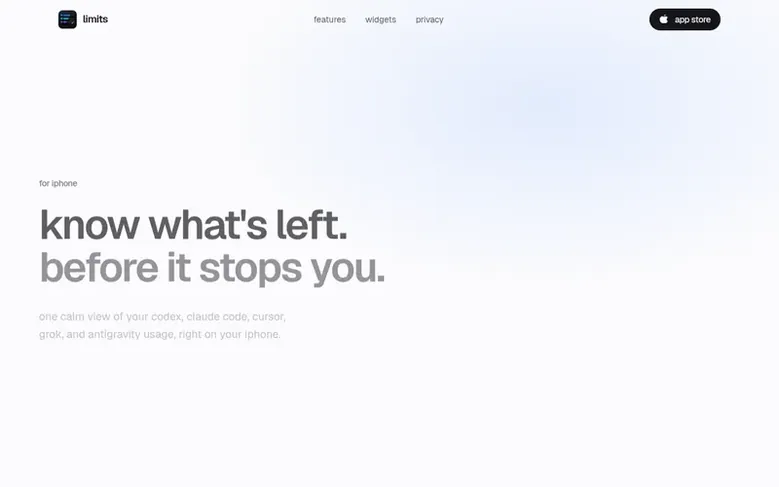
Limits is an iOS app that helps developers track their AI coding tool rate limits and usage in one place. It displays usage for Codex, Claude Code, Cursor, Grok, and Antigravity through home screen and lock screen widgets, so you can see your remaining quota without opening the app. The free tier provides reset alerts when limits refresh; the Pro version adds predictive warnings before you run out of usage. Limits connects securely using OAuth to your provider accounts and stores tokens locally in the iOS Keychain, with no data sent to external servers or tracking.
Feature facts
- Home screen and lock screen widgets for AI usage display
- Reset countdowns and notifications
- Support for Codex, Claude Code, Cursor, Grok, and Antigravity
- Session and weekly usage limits tracking
- Free reset alerts on limit refresh
- Pro predictive warnings before running out of usage
- Codex free reset credit tracking
- Widget refresh button for on-demand updates
- Multiple widget sizes and layouts
- Local on-device data storage with no cloud sync
Pricing
Pricing model: Freemium
Follow Limits: their milestones, new launches and awards come to you by email, once a day by default.
Limits specifications
| Section | Productivity & Personal Tools |
|---|---|
| Website | getlimits.app |
| Votes2 | 0 |
Limits metrics
| Metric | Value |
|---|---|
| Domain Rating | 0 −5 (down) since last check |
| Trust Flow | 0 no change since last check |
| Citation Flow | 19 no change since last check |
| Referring domains | 40 no change since last check |
| External backlinks | 76 no change since last check |
Fact: Ahrefs Domain Rating checked 12 Nov 2026, fact changed 3 Nov 2026. Fact: Majestic checked 1 Nov 2026, fact changed 1 Nov 2026. Link facts from Majestic. Trust Flow, Citation Flow and Topical Trust Flow are trademarks of Majestic-12 Ltd.
Limits domain fact sheet
Open the fact sheet
| Domain age | 3 months |
|---|---|
| Registered | |
| Expires | |
| Registrar | Name.com, Inc. |
| DNSSEC | Not signed |
Limits launch receipt sheet
What we have measured for Limits since it went live on SaaS Directory Info on 1 November 2026.
- 0 Domain Rating (Ahrefs) −5 (down) since launch
at launch: 5 (1 Nov 2026); latest: 11 Nov 2026 - 0 Trust Flow (Majestic)
first measured 1 Nov 2026 - 40 Referring domains (Majestic)
first measured 1 Nov 2026
Day 10 since launch. Next receipt: day 30, 1 Dec 2026. The figures report a change; they do not say what caused it, and many things can. No figure here is a guess.
Got a launch coming up?
Step-by-step tips for before, during and after your launch, free to read on SaaS Directory Info.
- Prepare
- Launch day
- Launch week
- Next steps
Compare and explore
Frequently looked up
- Q1How do I connect a provider?
- Open Limits, choose the provider you want to add (Codex, Claude Code, or Cursor), and sign in with your own account for that service. The sign-in uses OAuth, so you authenticate directly with the provider. Once connected, Limits retrieves your usage and basic account information to show your session and weekly figures.
- Q2What happens if a provider session expires?
- Sessions can expire over time on the provider side. When that happens, open Limits and sign in to that provider again. Your other connected providers are not affected, and the widgets will pick up fresh numbers on the next refresh.
- Q3Why is the background refresh timing approximate?
- Widgets request updates about every 15 minutes, but iOS decides when they actually run. Background Refresh is supplementary and gives Limits another opportunity to update when the app is not open. You can also enable the optional refresh button on supported widgets to request a fresh check without opening the app.
- Q4What about my privacy?
- Sign-in tokens are stored on your device in the iOS Keychain, and usage snapshots are cached on-device so the widgets can read them. Nothing is sent to external servers, there is no account for Limits itself, and there is no analytics or tracking.
- Q5A provider says my session expired. What do I do?
- Sessions can expire over time on the provider side. When that happens, open Limits and sign in to that provider again. Your other connected providers are not affected, and the widgets will pick up fresh numbers on the next refresh.
Leave a review for Limits
Review count for Limits: none yet. Add the first.
Fact: reviews are free and cannot be bought. All reviews, in brief
Reviews and facts · Fact updates · Share these facts · Your SaaS? Claim this fact file · Report a wrong fact
Limits has a free listing. The owner can unlock the full profile with a paid launch for $5:
- Founder story (locked)
- Milestones (locked)
- Demo video (locked)
- Dofollow website link (locked)
See also
| Product | Origin | DR1 | Votes2 |
|---|---|---|---|
 Mac NinjaMac speed-up app that unloads idle browser tabs and calms background CPU hogs without closing your apps. | Sweden | 0 | 0 votes. Log in to vote for Mac Ninja in the file |
 AuboraDesktop app that adds semantic search, face grouping, and map features to cloud storage like pCloud, Dropbox, and Infomaniak kDrive, with all processing running | not stated | 1 | 0 votes. Log in to vote for Aubora in the file |
 QuiltAutomatic window manager for Mac that arranges windows in tiles | not stated | 0 | 0 votes. Log in to vote for Quilt in the file |
 AguaFree I Ching six-line reading with three coins | not stated | 2 | 0 votes. Log in to vote for Agua in the file |