Fact sheet · Video & meetings

Framecast
Mac screen recorder that zooms in on every click
Overview
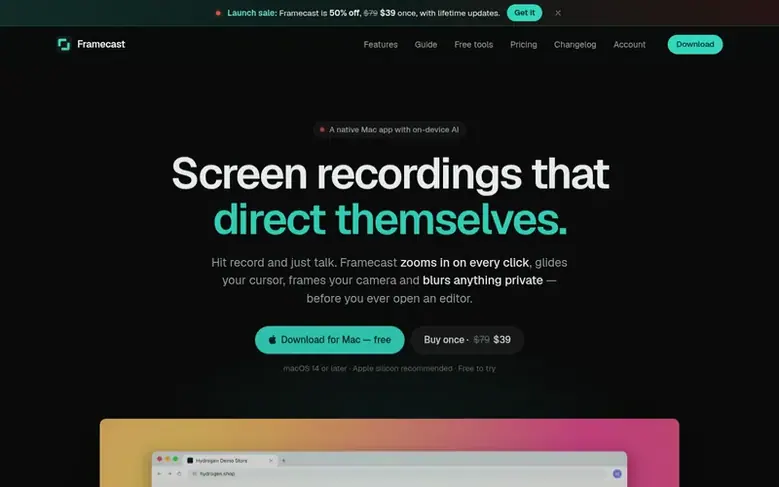
Framecast is a native Mac screen recorder that automates video editing. Hit record and the app zooms in on every click, glides your cursor, frames your camera and blurs anything private before you open an editor.
The app reads controls under your pointer to frame whole dialogs, tracks text carets while you type, and uses two-stage easing and motion blur to make camera movements feel cinematic. You can record full-screen, in a bubble, or cut yourself out with background removal.
Privacy features include automatic detection and blurring of API keys, passwords, email addresses and card numbers. Framecast can add numbered badges on clicked controls, arrows, boxes and notes that stay pinned while the camera moves.
One recording exports to multiple formats: wide demos, vertical clips for Reels and TikTok, step-by-step guides in HTML or PDF, and interactive demos that pause at each step. All transcripts, translations and AI features run on your Mac with nothing uploaded until you share.
Feature facts
- Auto zoom on clicks and typing
- Smooth cursor and cinematic camera movements
- Automatic blur of sensitive information
- Automatic captions in multiple languages
- Camera layouts: full-screen, bubble, and cut-out
- Numbered step badges and annotations
- Multiple export formats: MP4, vertical, guides, interactive demos
- Record iPhone and iPad via cable
- Runs entirely on Mac with no cloud uploads unless shared
Pricing
Pricing model: Freemium
Free: record and edit with every feature, export needs a license. Pay once: $39 USD (launch sale, regular $79) for lifetime license on 3 Macs with lifetime updates. Monthly: $15 USD per month.
Follow Framecast: their milestones, new launches and awards come to you by email, once a day by default.
Framecast specifications
| Section | Video & meetings |
|---|---|
| Founded | 2025 |
| Origin | Bangladesh |
| Stage | Startup |
| Website | framecast.pro |
| Makers | Tawhid Joarder (Founder) |
| Votes2 | 0 |
Framecast metrics
| Metric | Value |
|---|---|
| Domain Rating | 4 no change since last check |
| Trust Flow | 3 no change since last check |
| Citation Flow | 19 no change since last check |
| Referring domains | 4 no change since last check |
| External backlinks | 20 no change since last check |
Fact: Ahrefs Domain Rating checked 12 Nov 2026, fact changed 25 Oct 2026. Fact: top topic Computers/Software/Operating Systems (3). Fact: Majestic checked 25 Oct 2026, fact changed 25 Oct 2026. Link facts from Majestic. Trust Flow, Citation Flow and Topical Trust Flow are trademarks of Majestic-12 Ltd.
Framecast domain fact sheet
Open the fact sheet
| Domain age | 1 month |
|---|---|
| Registered | |
| Expires | |
| Registrar | NameCheap, Inc. |
| DNSSEC | Not signed |
Framecast launch receipt sheet
What we have measured for Framecast since it went live on SaaS Directory Info on 25 October 2026.
- 4 Domain Rating (Ahrefs) no change since launch
at launch: 4 (25 Oct 2026); latest: 11 Nov 2026 - 3 Trust Flow (Majestic)
first measured 25 Oct 2026 - 4 Referring domains (Majestic)
first measured 25 Oct 2026
Day 17 since launch. Next receipt: day 30, 24 Nov 2026. The figures report a change; they do not say what caused it, and many things can. No figure here is a guess.
Got a launch coming up?
Step-by-step tips for before, during and after your launch, free to read on SaaS Directory Info.
- Prepare
- Launch day
- Launch week
- Next steps
Compare and explore
Frequently looked up
- Q1Can I try it for free?
- Yes. Download and record with every feature for as long as you like for free. To export (save, copy or share), you need a license.
- Q2What do I need to run it?
- A Mac with macOS 14 Sonoma or later. Apple silicon is recommended for the fastest exports. Some AI features need Apple Intelligence on a supported Mac.
- Q3Are my recordings uploaded anywhere?
- Only what you share. Recordings, transcripts and AI stay on your Mac. When you make a share link, Framecast uploads only the finished video to share.framecast.pro.
- Q4What do I get when I pay once?
- A license key that lets you export on up to 3 Macs, and every future update is yours too with no renewal needed.
- Q5Can I record my iPhone or iPad?
- Yes. Plug it in with a cable, pick it in Device mode, and record. The same editor and effects apply.
Leave a review for Framecast
Review count for Framecast: none yet. Add the first.
Fact: reviews are free and cannot be bought. All reviews, in brief
Reviews and facts · Fact updates · Share these facts · Your SaaS? Claim this fact file · Report a wrong fact
Framecast has a free listing. The owner can unlock the full profile with a paid launch for $5:
- Founder story (locked)
- Milestones (locked)
- Demo video (locked)
- Dofollow website link (locked)
See also
| Product | Origin | DR1 | Votes2 |
|---|---|---|---|
 SwiftlookScreen sharing for phone-based sales teams without download or signup | not stated | 0 | 0 votes. Log in to vote for Swiftlook in the file |
 Auto-SubsAI subtitle translation addon for Stremio, Kodi and Nuvio | not stated | 1 | 0 votes. Log in to vote for Auto-Subs in the file |
 Wave.videoAll-in-one online video platform for creating, editing, recording, and hosting videos | United States | 76 | 0 votes. Log in to vote for Wave.video in the file |
 Green Screen RemoverBrowser-based chroma key tool for removing green or blue screen backgrounds from videos and images | not stated | 1 | 0 votes. Log in to vote for Green Screen Remover in the file |