Fact sheet · Video & meetings

Swiftlook
Screen sharing for phone-based sales teams without download or signup
Browser-based screen sharing that lets sales reps share their screen with prospects instantly via SMS or email link, with no app installation or account
Overview
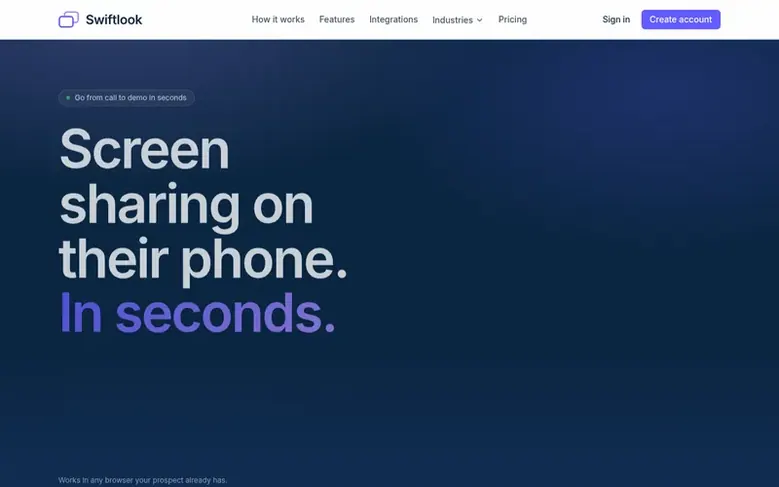
Swiftlook is a screen sharing platform designed for phone-based sales teams including insurance agents, mortgage brokers, and customer success teams. It allows presenters to share their screen, a specific tab, or a window by sending a link via SMS or email that viewers can open in any browser without downloading anything or creating an account.
The platform emphasizes simplicity: prospects tap a link and immediately see the presenter's screen while staying on the phone call. It works on any device with a modern browser, including iPhones, older Android phones, and corporate computers behind firewalls. For presenters, a Chrome extension installed once provides one-click access to share controls.
Swiftlook integrates with HubSpot and Salesforce to log session data directly to contact records, including watch time, engagement scores, and whether the link was opened. It offers analytics dashboards for tracking individual rep performance and team-wide metrics. The service is designed to be faster and more convenient than scheduling separate video meetings, particularly for unplanned calls that close over the phone.
Feature facts
- One-directional sharing keeps viewer screen private
- Optional camera feed to keep presenter visible during screen share
Pricing
Pricing model: Freemium
Solo $24.99/month with unlimited meetings and up to 20 viewers. Team per-seat from $22.99/seat/month (graduated: seats 1 at $24.99, seats 2–10 at $22.99, seats 11–50 at $19.99, seats 51+ at $17.99), or Team per-meeting from $89.99/month for 100 meetings up to $1,249.99/month for 2,000 meetings. Ente
Follow Swiftlook: their milestones, new launches and awards come to you by email, once a day by default.
Swiftlook specifications
| Section | Video & meetings |
|---|---|
| Stage | Startup |
| Website | swiftlook.com |
| Votes2 | 0 |
Swiftlook metrics
| Metric | Value |
|---|---|
| Domain Rating | 0 no change since last check |
| Trust Flow | 0 no change since last check |
| Citation Flow | 0 no change since last check |
| Referring domains | 0 no change since last check |
| External backlinks | 0 no change since last check |
Fact: Ahrefs Domain Rating checked 12 Nov 2026, fact changed 8 Nov 2026. Fact: Majestic checked 8 Nov 2026, fact changed 8 Nov 2026. Link facts from Majestic. Trust Flow, Citation Flow and Topical Trust Flow are trademarks of Majestic-12 Ltd.
Swiftlook domain fact sheet
Open the fact sheet
| Domain age | 1 year |
|---|---|
| Registered | |
| Expires | |
| Registrar | GoDaddy.com, LLC |
| DNSSEC | Not signed |
Swiftlook launch receipt sheet
What we have measured for Swiftlook since it went live on SaaS Directory Info on 8 November 2026.
- 0 Domain Rating (Ahrefs) no change since launch
at launch: 0 (8 Nov 2026); latest: 11 Nov 2026 - 0 Trust Flow (Majestic)
first measured 8 Nov 2026 - 0 Referring domains (Majestic)
first measured 8 Nov 2026
Day 4 since launch. Next receipt: day 30, 8 Dec 2026. The figures report a change; they do not say what caused it, and many things can. No figure here is a guess.
Got a launch coming up?
Step-by-step tips for before, during and after your launch, free to read on SaaS Directory Info.
- Prepare
- Launch day
- Launch week
- Next steps
Compare and explore
Frequently looked up
- Q1Does my prospect need to download anything?
- No. Swiftlook runs in the browser already on their device. Nothing to install, ever, on any platform.
- Q2Does it work on an iPhone?
- Yes, in Safari. No App Store, no Apple ID, no password.
- Q3What do I need to install on my side?
- One Chrome extension, installed once. Takes about twenty seconds. That is the only install in the whole system.
- Q4How does the free trial work?
- 14 days or 5 sessions, whichever comes first. No credit card required to start. When the trial ends you can pick a plan or keep signing in without creating new sessions.
- Q5Can they see my other tabs?
- Only what you choose to share. Pick a single tab and everything else stays private.
Leave a review for Swiftlook
Review count for Swiftlook: none yet. Add the first.
Fact: reviews are free and cannot be bought. All reviews, in brief
Reviews and facts · Fact updates · Share these facts · Your SaaS? Claim this fact file · Report a wrong fact
Swiftlook has a free listing. The owner can unlock the full profile with a paid launch for $5:
- Founder story (locked)
- Milestones (locked)
- Demo video (locked)
- Dofollow website link (locked)
See also
| Product | Origin | DR1 | Votes2 |
|---|---|---|---|
 Auto-SubsAI subtitle translation addon for Stremio, Kodi and Nuvio | not stated | 1 | 0 votes. Log in to vote for Auto-Subs in the file |
 Wave.videoAll-in-one online video platform for creating, editing, recording, and hosting videos | United States | 76 | 0 votes. Log in to vote for Wave.video in the file |
 Green Screen RemoverBrowser-based chroma key tool for removing green or blue screen backgrounds from videos and images | not stated | 1 | 0 votes. Log in to vote for Green Screen Remover in the file |
 ClipStillsExtract video frames at original dimensions and save locally without watermarks | not stated | 0 | 0 votes. Log in to vote for ClipStills in the file |