Fact sheet · Mac & desktop utilities
PixelDisk
Disk space cleaner for Mac that shows your whole disk as one picture and clears it safely in one click
PixelDisk is a native Mac app that shows what fills your disk and clears it safely. Scan for free, pay $19 once to unlock cleaning.
Overview
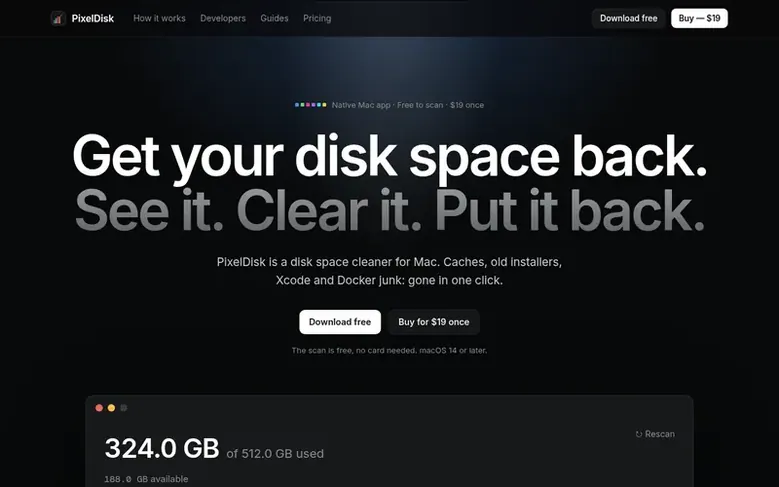
PixelDisk is a disk space cleaner for Mac that visualizes your entire disk usage as a single image, with every gigabyte color-coded by category. It helps you identify and remove caches, old installers, Xcode and Docker files, and other space-consuming items.
The app operates in a Safe mode by default, sending your files to the Trash so you can undo deletions, while automatically deleting only caches and build files that rebuild themselves. It includes a History log of all removals and supports Full Disk Access for comprehensive scanning.
PixelDisk is available in two editions: a sandboxed Mac App Store version and a direct download with additional features like the Uninstaller, System Data breakdown, and VM disk cleanup. The app requires macOS 14 Sonoma or later and is available in 11 languages.
Priced at $19 as a one-time purchase with all future updates included, PixelDisk is built by one independent developer with no subscriptions, accounts, or tracking.
Feature facts
- Disk visualization with color-coded categories
- Safe mode with Trash recovery
- Removal history and undo capability
- Autopilot automatic cleanup
- Menu bar free space indicator
- Developer file cleanup
- System Data breakdown
- Large file detection
- Duplicate file finder
- Offline operation
Pricing
Pricing model: Paid
Free to scan, $19 once to unlock cleaning, Autopilot and developer cleanup. All future updates included.
Follow PixelDisk: their milestones, new launches and awards come to you by email, once a day by default.
PixelDisk specifications
| Section | Mac & desktop utilities |
|---|---|
| Website | pixeldisk.app |
| Votes2 | 0 |
PixelDisk metrics
| Metric | Value |
|---|---|
| Domain Rating | 5 +4 (up) since last check |
| Trust Flow | 0 no change since last check |
| Citation Flow | 0 no change since last check |
| Referring domains | 0 no change since last check |
| External backlinks | 0 no change since last check |
Fact: Ahrefs Domain Rating checked 19 Nov 2026, fact changed 19 Nov 2026. Fact: Majestic checked 17 Nov 2026, fact changed 17 Nov 2026. Link facts from Majestic. Trust Flow, Citation Flow and Topical Trust Flow are trademarks of Majestic-12 Ltd.
PixelDisk domain fact sheet
Open the fact sheet
| Domain age | 4 days |
|---|---|
| Registered | |
| Expires | |
| Registrar | CloudFlare, Inc. |
| DNSSEC | Not signed |
PixelDisk launch receipt sheet
What we have measured for PixelDisk since it went live on SaaS Directory Info on 17 November 2026.
- 5 Domain Rating (Ahrefs) +5 (up) since launch
at launch: 0 (17 Nov 2026); latest: 19 Nov 2026 - 0 Trust Flow (Majestic)
first measured 17 Nov 2026 - 0 Referring domains (Majestic)
first measured 17 Nov 2026
Day 2 since launch. Next receipt: day 30, 17 Dec 2026. The figures report a change; they do not say what caused it, and many things can. No figure here is a guess.
Got a launch coming up?
Step-by-step tips for before, during and after your launch, free to read on SaaS Directory Info.
- Prepare
- Launch day
- Launch week
- Next steps
Compare and explore
Frequently looked up
- Q1Is PixelDisk a subscription?
- No. PixelDisk costs $19 once and includes all future updates. Scanning, large file viewing, and alerts remain free forever.
- Q2What happens if I delete something I need?
- Your files go to the Trash and every removal is logged. You can put them back from History as long as they remain in the Trash. Caches and build files rebuild automatically.
- Q3Does PixelDisk speed up my Mac?
- No. PixelDisk frees disk space only. It does not clean RAM, scan for viruses, or count false "problems."
- Q4What is the difference between the App Store and direct download versions?
- The App Store edition works within your Home folder and updates through Apple. The direct download includes additional tools like the Uninstaller, System Data breakdown, simulators, iCloud and iPhone backups, Time Machine snapshots, and VM disk cleanup.
- Q5Is it safe to clear caches?
- Yes. Apps rebuild their caches when they need them; the first launch after clearing may be slower. In Safe mode, caches are deleted because they rebuild automatically.
Leave a review for PixelDisk
Review count for PixelDisk: none yet. Add the first.
Fact: reviews are free and cannot be bought. All reviews, in brief
Reviews and facts · Fact updates · Share these facts · Your SaaS? Claim this fact file · Report a wrong fact
PixelDisk has a free listing. The owner can unlock the full profile with a paid launch for $5:
- Founder story (locked)
- Milestones (locked)
- Demo video (locked)
- Dofollow website link: not on this free listing (its website link is nofollow)
See also
| Product | Origin | DR1 | Votes2 |
|---|---|---|---|
 Design PreviewerReal file thumbnails for PSD, AI, CDR and 11 more design formats in Windows File Explorer | not stated | 7 | 0 votes. Log in to vote for Design Previewer in the file |
 Stat SpaceA lean Apple Silicon menu bar monitor for developers with system stats, ports, AI agent tracking, and per-app volume control | not stated | 8 | 0 votes. Log in to vote for Stat Space in the file |
 FileOctopusA native Mac file manager that works like Finder and does what Finder can't | Vietnam | 5 | 0 votes. Log in to vote for FileOctopus in the file |
 smushAnimated cursor transitions for Mac | not stated | 2 | 0 votes. Log in to vote for smush in the file |