Fact sheet · Mac & desktop utilities

QuipShot
The screenshot tool Windows always needed: fast, native, quiet, and serious about the details
A fast, native screenshot tool for Windows 10 and 11 that captures regions, windows, scrolling pages and text, with in-place annotation and drag-to-share
Overview
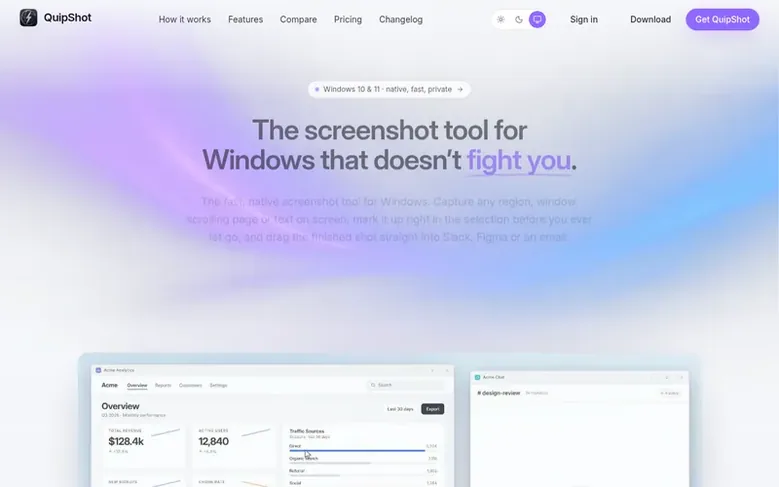
QuipShot is a native screenshot tool for Windows 10 and 11 designed for frequent users. It offers five capture modes: region, window, fullscreen, scrolling pages, and on-device text extraction. Users can annotate immediately with 14 tools including arrows, boxes, text, blur, and highlighting before saving or sharing. The application is lightweight at under 25 MB, requires no cloud storage, and prioritizes privacy with no telemetry or analytics. It supports HDR displays, multi-monitor setups including dual-4K and ultrawide monitors, and allows users to drag screenshots directly into other applications. The product includes all features in a single subscription tier with no free tier or stripped-down version.
Feature facts
- Five capture modes: region, window, fullscreen, scrolling, and text extraction
- True colour capture from HDR displays and high-DPI monitors
- Reliable capture of video and GPU-drawn applications
- On-device text extraction in 100+ languages with no upload
- Scrolling capture with blended seams for long pages and chats
- Screen colour picker with magnifier
- Combine up to eight screenshots into one image
- History and floating thumbnail management for past captures
Pricing
Pricing model: Paid
$20 per month USD. One flat tier with all features included. First week acts as trial with full refund within 7 days if not satisfied. Subscription covers up to 3 Windows devices. Annual billing and team seats are on the roadmap.
Follow QuipShot: their milestones, new launches and awards come to you by email, once a day by default.
QuipShot specifications
| Section | Mac & desktop utilities |
|---|---|
| Origin | Coral Springs, United States |
| Website | quipshot.com |
| Votes2 | 0 |
QuipShot metrics
| Metric | Value |
|---|---|
| Domain Rating | 8 +8 (up) since last check |
| Trust Flow | 3 +1 (up) since last check |
| Citation Flow | 22 +5 (up) since last check |
| Referring domains | 7 +3 (up) since last check |
| External backlinks | 39 +32 (up) since last check |
| Domain Authority (Moz) | 3 no change since last check |
| Page Authority (Moz) | 27 no change since last check |
Fact: Ahrefs Domain Rating checked 12 Nov 2026, fact changed 12 Nov 2026. Fact: top topic Regional/Asia (2). Fact: Majestic checked 11 Nov 2026, fact changed 11 Nov 2026. Link facts from Majestic. Trust Flow, Citation Flow and Topical Trust Flow are trademarks of Majestic-12 Ltd. Moz checked 11 Nov 2026, fact changed 11 Nov 2026.
QuipShot domain fact sheet
Open the fact sheet
| Domain age | 7 months |
|---|---|
| Registered | |
| Expires | |
| Registrar | Cloudflare, Inc. |
| DNSSEC | Signed |
QuipShot launch receipt sheet
What we have measured for QuipShot since it went live on SaaS Directory Info on 6 November 2026.
- 0 Domain Rating (Ahrefs) no change since launch
at launch: 0 (6 Nov 2026); latest: 11 Nov 2026 - 3 Domain Authority (Moz)
first measured 11 Nov 2026 - 3 Trust Flow (Majestic) +1 (up) since launch
at launch: 2 (6 Nov 2026); latest: 11 Nov 2026 - 7 Referring domains (Majestic) +3 (up) since launch
at launch: 4 (6 Nov 2026); latest: 11 Nov 2026 - 27 Page Authority (Moz)
first measured 11 Nov 2026
Day 5 since launch. Next receipt: day 30, 6 Dec 2026. The figures report a change; they do not say what caused it, and many things can. No figure here is a guess.
Got a launch coming up?
Step-by-step tips for before, during and after your launch, free to read on SaaS Directory Info.
- Prepare
- Launch day
- Launch week
- Next steps
Compare and explore
Frequently looked up
- Q1Is there a free tier or a trial?
- No. The first week works as a trial: subscribe for $20, use everything, and if it isn't for you, ask within 7 days for a full refund. There's no stripped-down free tier either: one flat price with every feature included and no upsells.
- Q2Why Windows only?
- QuipShot is built specifically for Windows to maintain speed and native feel. A half-hearted port to other platforms would lose these qualities. CleanShot X already serves Mac users; QuipShot is the Windows answer.
- Q3What about my privacy?
- No cloud, no telemetry, no analytics. After signing in once, the app only connects to servers to confirm your subscription and fetch updates. Text extraction runs entirely on your machine, and screenshots never leave your computer unless you send them yourself.
- Q4Which Windows versions are supported?
- Windows 10 and Windows 11, 64-bit. Captures are pixel-perfect across mixed-DPI, multi-monitor setups, including dual-4K and ultrawide displays.
- Q5How many devices can I use it on?
- Up to 3 Windows machines on one subscription. There are no license keys to manage; you sign in with your account. You can free a device seat from your account page when replacing a computer.
Leave a review for QuipShot
Review count for QuipShot: none yet. Add the first.
Fact: reviews are free and cannot be bought. All reviews, in brief
Reviews and facts · Fact updates · Share these facts · Your SaaS? Claim this fact file · Report a wrong fact
QuipShot has a free listing. The owner can unlock the full profile with a paid launch for $5:
- Founder story (locked)
- Milestones (locked)
- Demo video (locked)
- Dofollow website link (locked)
See also
| Product | Origin | DR1 | Votes2 |
|---|---|---|---|
| ScsDedupFind duplicate files on Windows and reclaim disk space | China | 1 | 0 votes. Log in to vote for ScsDedup in the file |
 TrackEdgeSlide along the edge of your MacBook trackpad to set volume and brightness | not stated | 0 | 0 votes. Log in to vote for TrackEdge in the file |
 MoleNative Mac app for cleaning caches and AI tool data, uninstalling and updating apps, analyzing disk space, and checking system status | not stated | 38 | 0 votes. Log in to vote for Mole in the file |
 TidymintFree, open-source Mac cleaner with no tracking | not stated | 2 | 0 votes. Log in to vote for Tidymint in the file |